

Plans and subscription questions
Your Varium plan and pupil money
An instructor’s Varium subscription pays for app access under the selected plan. Pupil lesson payments go through a separate workflow. Paying for one does not automatically complete the other.
Free access for eligible UK PDIs
Varium offers free instructor access for eligible, verified Potential Driving Instructors (PDIs). This is a verified-access offer, not an automatic £0 option in the standard instructor checkout.
The dedicated PDI path shown in the app offers up to 12 months free, subject to approval and continued eligibility. No payment details are required to apply through that path. Follow the UK PDI application guide. Varium confirms the actual eligible free-access period when you are approved. Do not send licence or identity documents through an unverified channel.
Review a plan before paying
- Start the sign-up/plan flow shown in your installed version.
- Review the currency, recurring interval, total and account email on the checkout page.
- Complete checkout only if the terms are correct.
- Return to the app and allow the account/session check to finish.
- Keep the receipt privately and contact support if access and payment status disagree.
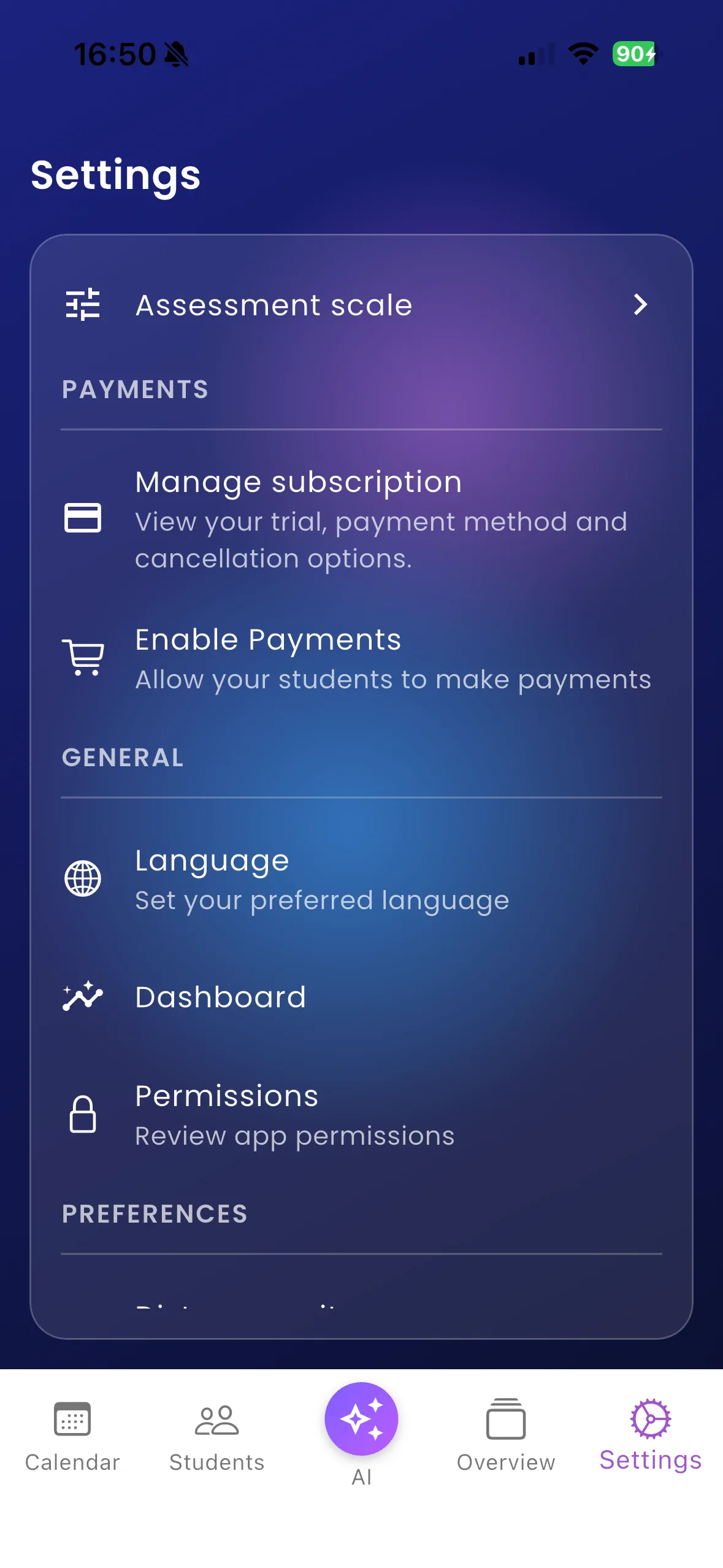
For example, an instructor who completed a plan checkout still needs Settings → Enable Payments before collecting pupil payments through the connected payment account.
Important things to know
Monthly pricing adjustments are part of the internally prepared 2.2.0+40 work. This Help Centre does not announce that build as publicly released or quote its future price. Current checkout terms are the reference. The inspected Flutter navigation does not establish a universal in-app subscription-management or cancellation portal, so no such button is promised here.
Troubleshooting
If you have been charged but account creation has not finished, check the same email and checkout result before paying again. For renewal, cancellation or billing questions, use the provider instructions on your receipt or contact Varium through the website. Do not assume deleting an app or account cancels a recurring charge.
Related features
Create an instructor account · Pupil payments · Contact Varium