Create an instructor account
Before you start
Use an email address you can open on your phone. If a driving school invited you, use that invitation instead of creating a second independent account.
UK PDI? Eligible, verified Potential Driving Instructors can apply for up to 12 months of free access, subject to approval and continued eligibility. Use the app’s separate PDI or new instructor registration option. See the PDI step-by-step guide before attempting a normal paid checkout.
Create and verify your account
- Open Varium and select the instructor sign-in option.
- Choose Sign Up. Where a plan checkout is shown, review the currency, recurring terms and total before continuing.
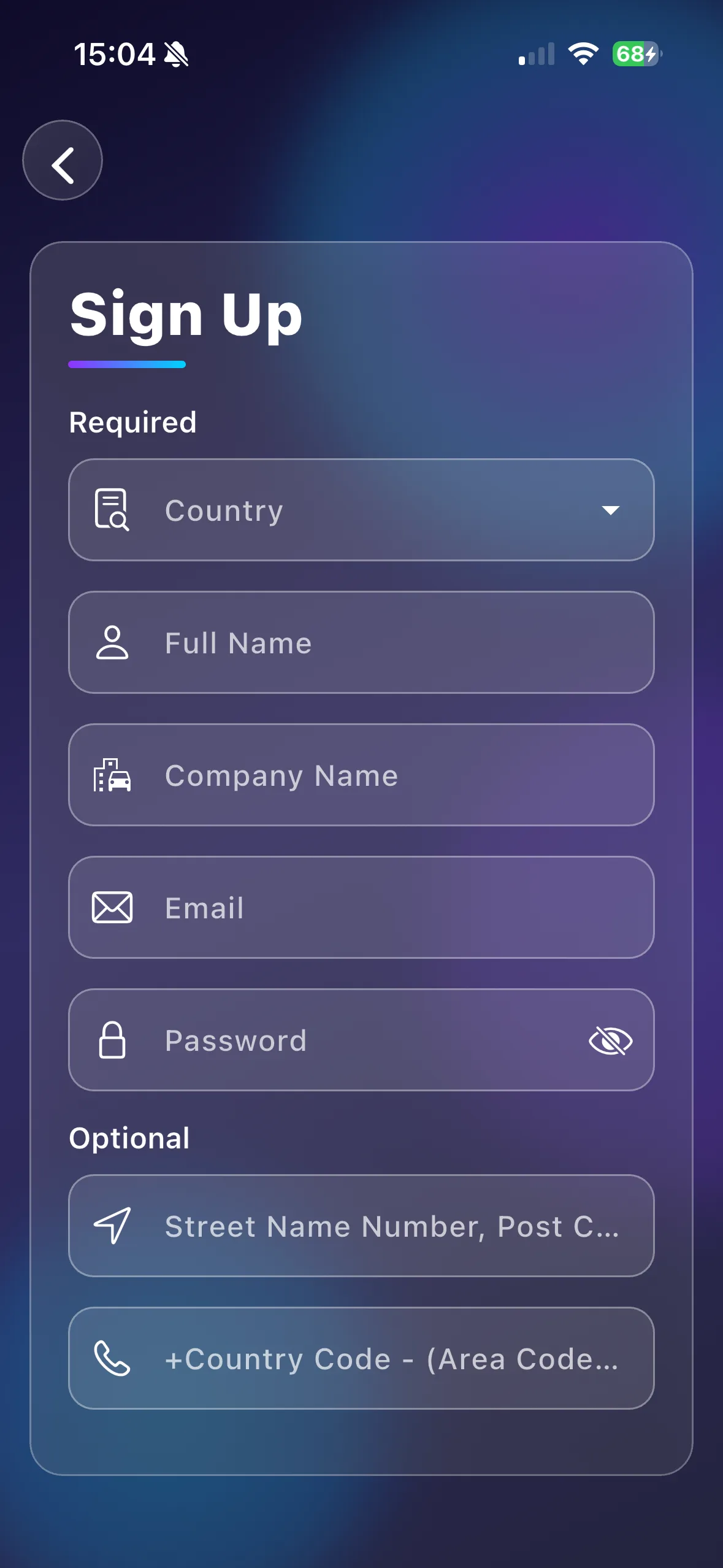
- Enter your name, email, password and the required company/contact details. Choose the correct country and review the form validation messages.
- Complete the sign-up flow and check your email, including junk mail.
- Follow the verification screen. Return to the instructor sign-in screen when verification is complete.
- Sign in, open Settings, and check your profile, language, time format and currency.
For example, an independent instructor can finish account setup first, then add a pupil and plan a first lesson. A school instructor should activate the account the school created for them.
Important things to know
The sign-up and paid checkout screens are separate flows in the app. Follow the flow shown in your installed version. Free PDI access requires eligibility verification and is not guaranteed through the ordinary paid signup flow; standard checkout terms remain authoritative. Creating an instructor account does not automatically enable pupil card payments.
Troubleshooting
If no message arrives, confirm the email spelling and check junk mail before repeating signup. If you are told to verify, finish verification rather than creating another account. For an invitation, see driving schools.
Related features
First instructor setup · Subscriptions · Login help